
Treemap & Issue Hierarchy Charts Documentation
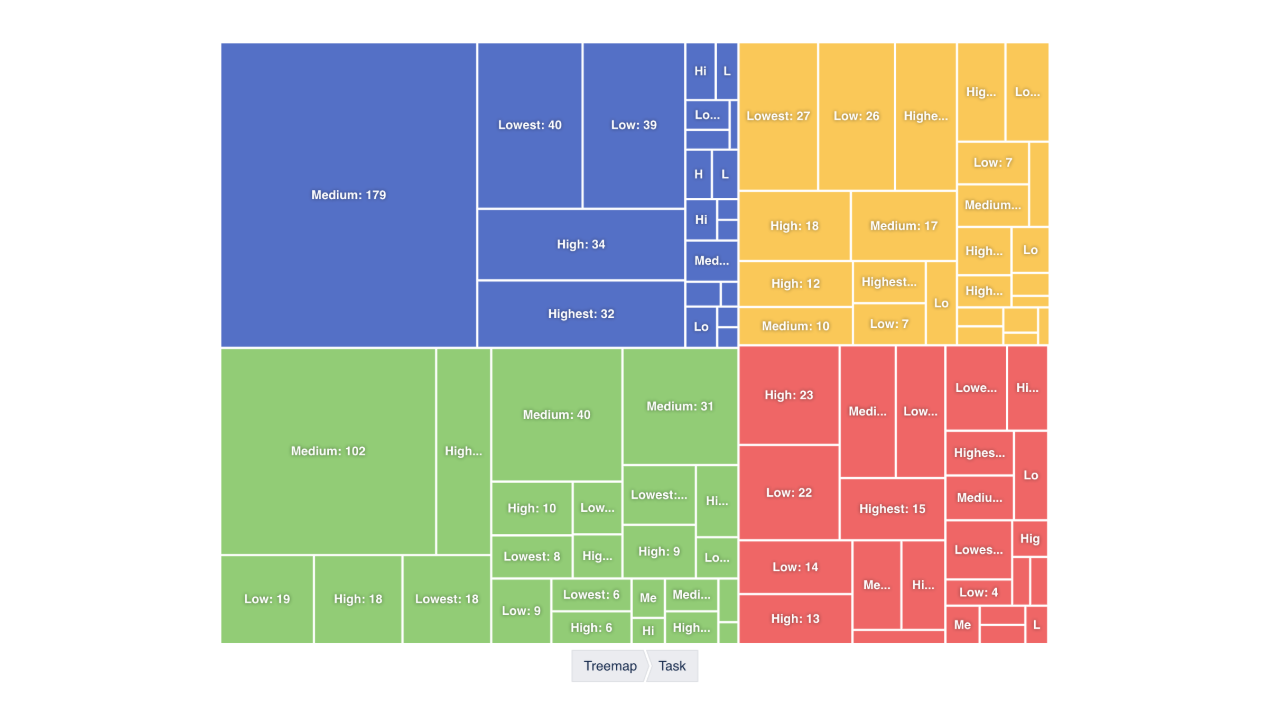
Treemap & Issue Hierarchy Charts for Jira Dashboards shows where the work is. Pick a project and a JQL filter, define a Hierarchy — an ordered list of fields, each one a nesting level: Project → Epic → Status, Assignee → Issue Type, Component → Priority → Resolution — choose what tiles are sized by (issue count, or a sum, average, max or min of any numeric field) and optionally what they are coloured by (a palette per top-level branch, or a second metric as a light-to-dark heat ramp). Then render it as a nested Treemap, a Sunburst or a Drilldown Pie.
The question it answers that a bar chart can't: not just how much work sits where, but how the parts nest — and, with a heat metric, which of them are old, expensive or stuck.
Data & permissions. Issues are read with the Jira REST API in the context of the person viewing the dashboard — everyone sees only what their permissions allow. Nothing is written to Jira and nothing leaves your site.
Getting Started
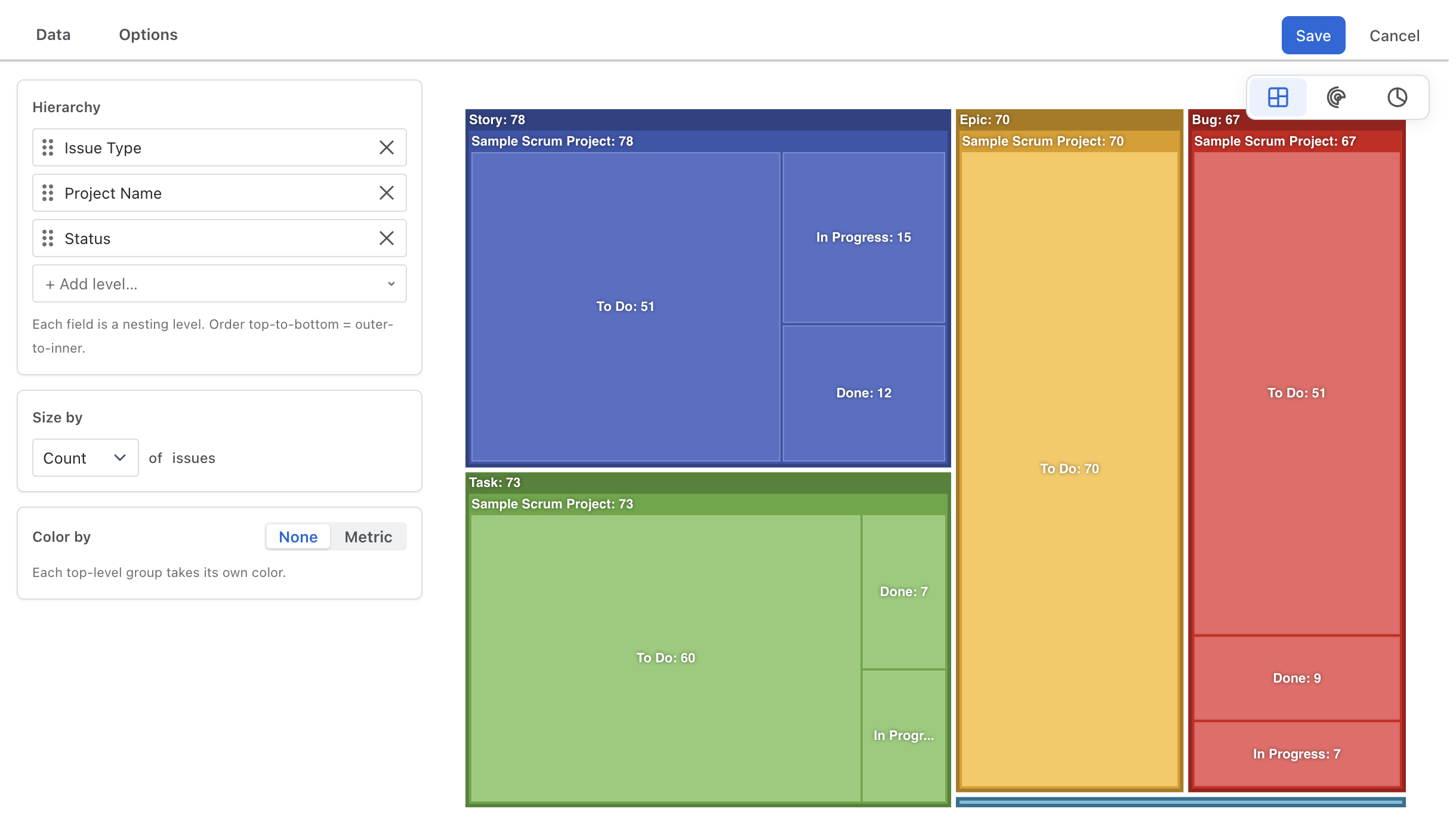
- 1 On a Jira dashboard, Add gadget → Treemap & Issue Hierarchy Charts, then ··· → Configure.
- 2 In Data, pick a project (or All
Projects) and adjust the JQL filter — new gadgets start with
created >=
                            -30d
. - 3 Build the Hierarchy in the panel beside the chart: add levels, drag to reorder.
- 4 Choose Size by and, if you want a heat map, Color by → Metric.
- 5 Switch between Treemap, Sunburst and Drilldown Pie in the floating switcher; tune Options; Save.
Data
| Setting | Meaning |
|---|---|
| Project | One project from the site's most recently active ones, or All Projects. |
| Filter (optional) | Any JQL in Atlassian's own editor with autocomplete,
combined with the project as project = "KEY" AND (…). Saved filters work
as filter = "My filter". |
The gadget fetches only the fields the hierarchy and metrics need, a thousand issues per request, up to 5,000 issues. Grouping and aggregation happen in the browser; the chart loads with the dashboard, and the editor re-aggregates locally when only the layout changes.
Hierarchy
An ordered list of fields. Each is one nesting level; top-to-bottom is outer-to-inner. Add levels with + Add level…, drag the grip to reorder, × to remove. New gadgets start with Issue Type → Status → Priority.
The field picker is searchable and grouped:
| Group | Fields |
|---|---|
| Suggested | Issue Type, Status, Priority, Resolution, Project Name, Project Key, Components, Versions, Fix versions, Labels. |
| Time & Dates | Every date field as four variants — (Year),
(Month), (Week), (Day) — labelled 2026,
Aug 2026, W33 2026, 15 Aug 2026. |
| Users | Assignee, Reporter, Creator and custom user fields, by display name. |
| Other Fields | Every other categorical field, custom selects included. |
Empty values group as None. Multi-value fields (labels, components) group by their combined value.
"Hierarchy" here means nested field grouping — any fields, in any order. For Jira's own epic → story → sub-task tree with story points rolled up at every level, see the Hierarchy widget in Plugio Suite (on a dashboard) or the Progress tree in Plugio Panels (on the epic itself).
Size by & Color by
Both metrics read as a sentence — Count of issues, Sum of Story Points, Average of Time Spent.
| Setting | Meaning |
|---|---|
| Size by | Count, or Sum / Average / Max / Min of any numeric field — Story Points, estimates, time spent, custom numbers. Drives tile area, arc angle, slice size. Groups whose size is zero are not drawn. |
| Color by → None | Each top-level branch takes its own colour from the Color Template; children inherit lighter shades of it. |
| Color by → Metric | A second measure — say Average of Age or Sum of Remaining Estimate — ramps tiles from a pale neutral toward the heat colour you pick (Blue, Teal, Green, Yellow, Orange, Red, Dark Red, Purple, or custom). Heat is scaled within each group of siblings, so contrast is strongest where you are looking. Parent strips take their branch's aggregate heat. |
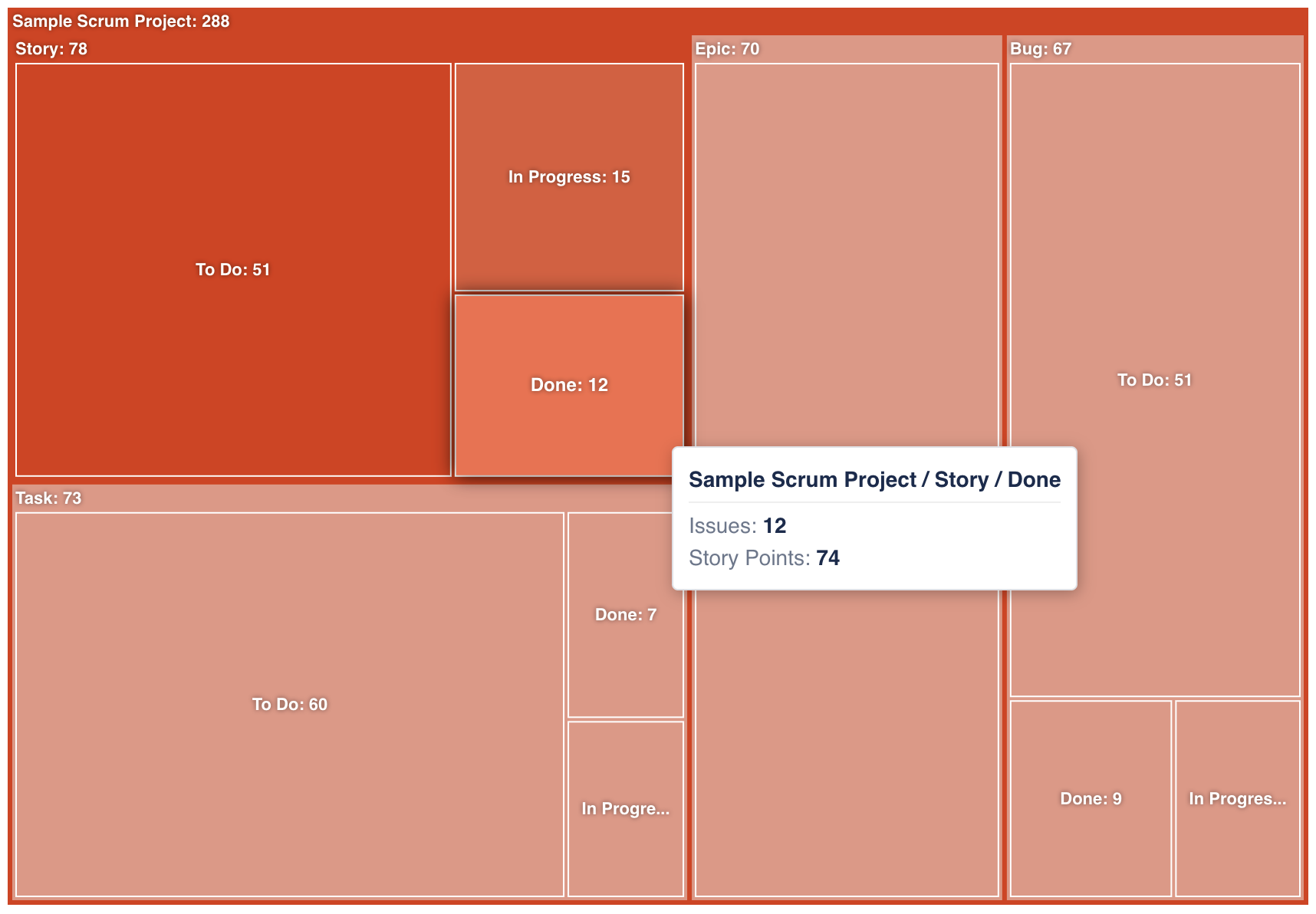
Hovering any tile, arc or slice shows its full path and both metric values.
Chart Types
Switch in the floating switcher over the chart. Hierarchy, metrics and data carry over; each type has its own Options panel.
Treemap
Nested rectangles, one per group value at each level, area proportional to the size metric. Parent groups can carry a coloured name strip above their children.
| Option | Meaning |
|---|---|
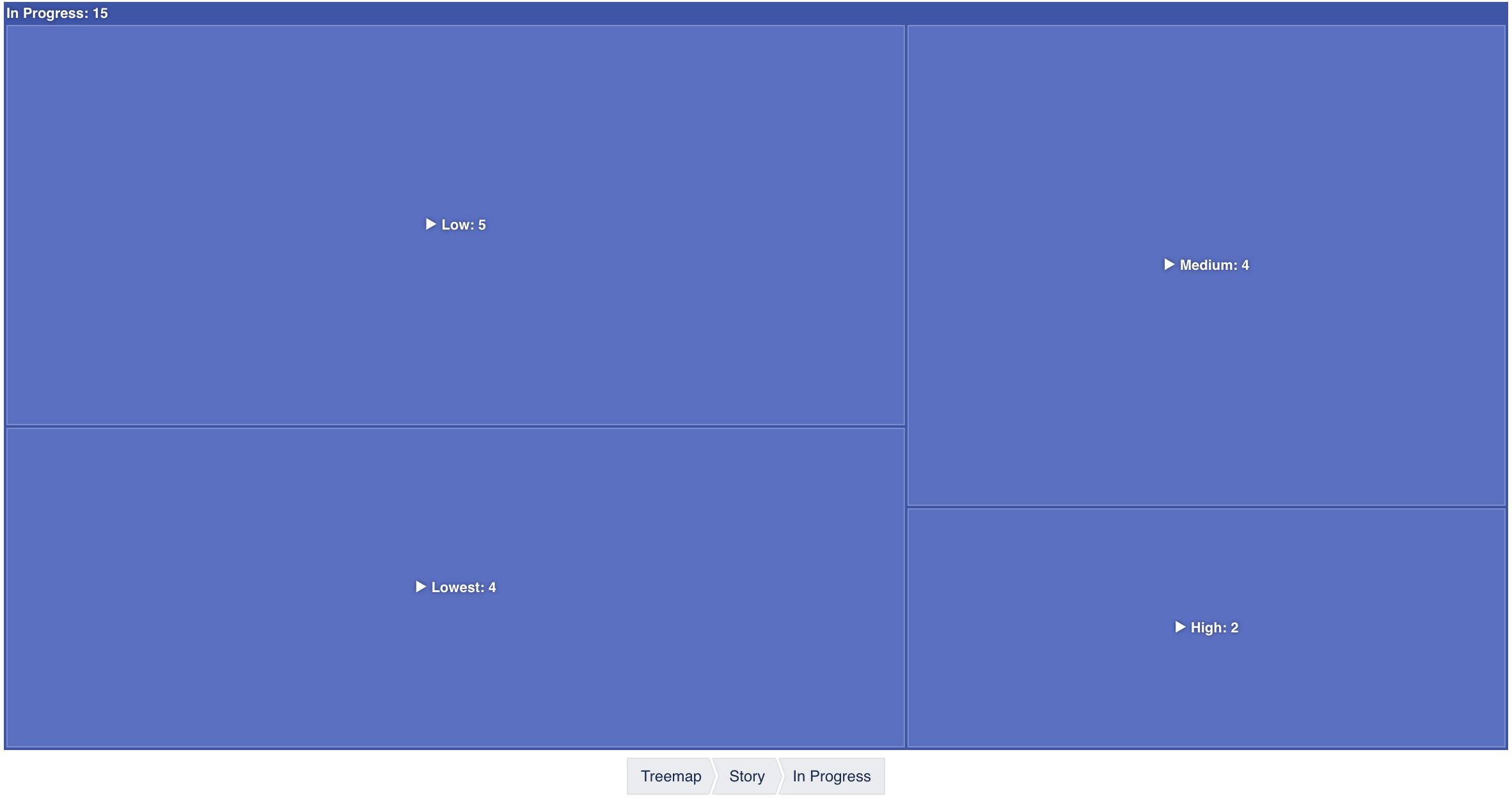
| Hierarchy | All levels at once — everything nested and visible, no clicking. Drill-down · one level per view / two levels per view — click a tile to open what's inside it, climb back with the breadcrumb under the chart. Best for three or more levels. |
| Sort Order | Descending (largest first) · Ascending · None. |
| Show parent name strips | Toggles the header strip on branch tiles. |
| Set Width | 20–100 % of the gadget width. |
| Set Height | 500–1200 px. |
Sunburst
Concentric rings — the first hierarchy field innermost, each further level one ring out — with arc angle proportional to the size metric. Click a segment to zoom into it; click the centre to zoom back out. Hovering highlights the segment's ancestors.
| Option | Meaning |
|---|---|
| Sort Order | Descending · Ascending · None. |
| Show Labels | Radial labels on the arcs; slivers stay unlabelled. |
| Set Height | 500–1200 px. |
Drilldown Pie
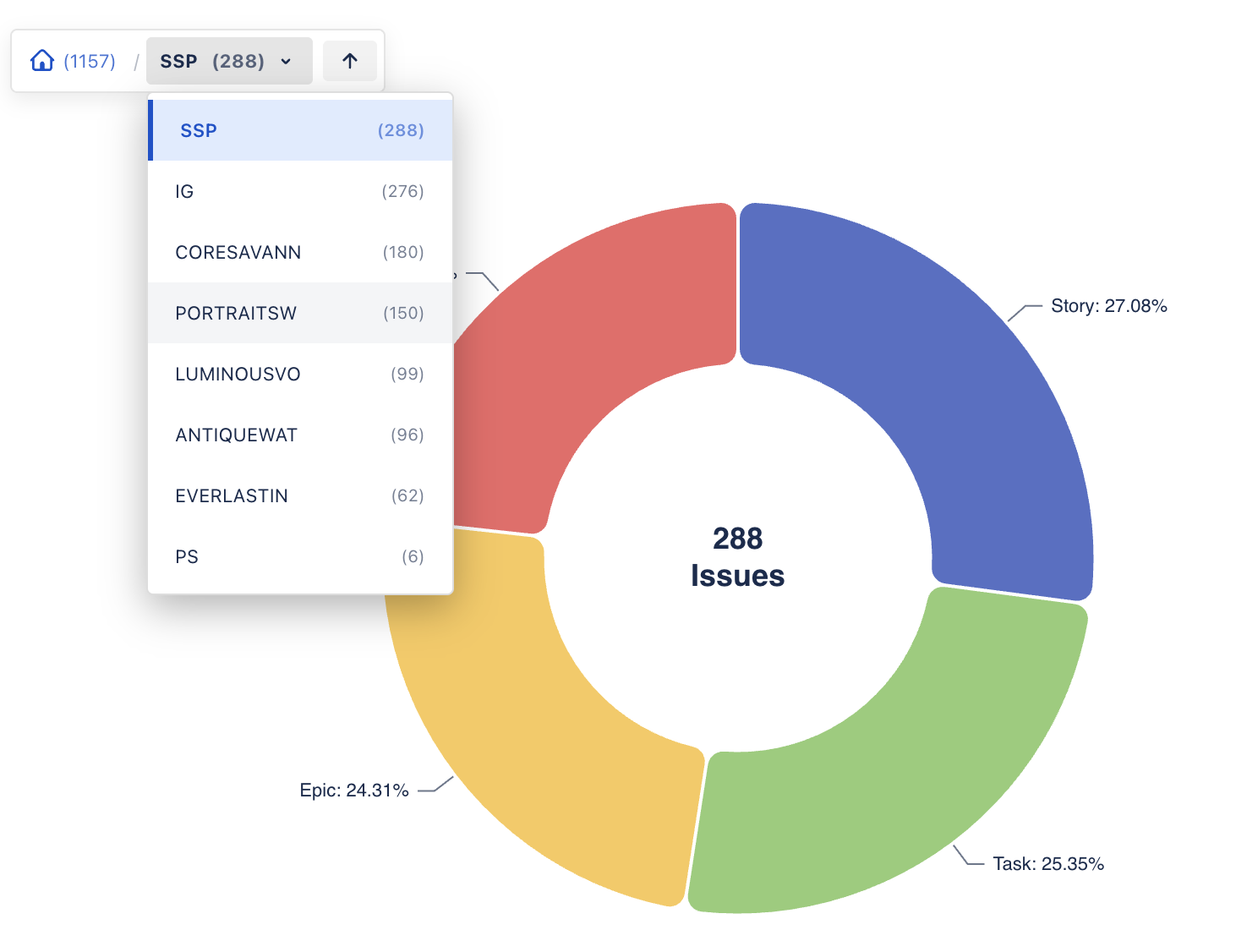
A donut of the current level only, with the level's total in the hole. Click a slice with children to drill into it. The breadcrumb bar above the chart shows the path — every entry is a dropdown of that level's siblings, so you can jump sideways without climbing back — and an up-arrow goes one level up.
| Option | Meaning |
|---|---|
| Sort Order | Descending · Ascending · None. |
| Set Height | 500–1200 px. |
Colour Templates & Sizing
- Color Template (when Color by is None): Basic, Pastel, Dark, Neon, Sunset, or a Custom Theme — one colour, from which a ten-step monochromatic palette is generated.
- Set Height per chart type, 500–1200 px; the treemap also has Set Width.
- Text, borders and tooltips follow Jira's light and dark mode.
Values are shown as plain numbers; averages are rounded to two decimals. Time-tracking fields sum in seconds, as Jira stores them.
Troubleshooting
"Please configure the treemap edit settings first."
The gadget has no hierarchy yet. Open Configure and add at least one level.
"No data available to display"
The effective JQL returned nothing — or Jira rejected it. Paste the same query into the issue
navigator: an invalid filter, a date window that excludes everything (remember the default
created >= -30d), or a project you can't see all end up here.
Groups I expected are missing
Groups whose size metric is zero are not drawn — Sum of Story Points hides unestimated groups. Switch Size by to Count to see everything.
Too many tiny tiles
A high-cardinality field (assignee on a big site, labels) as the outer level produces many small tiles. Put a coarse field outside — Project, Issue Type, Status — and the fine one inside, or use a drill-down mode.
Numbers look lower than expected on a very large scope
The gadget reads up to 5,000 issues. Narrow the project or filter.
Data isn't refreshing
The gadget queries Jira when it loads. Reload the dashboard for fresh numbers.
Support
Questions, feedback or a feature request? We answer fast.
Email: [email protected]