
Mermaid Diagrams for Bitbucket Documentation
Bitbucket Cloud does not render Mermaid out of the box — a diagram in a README shows up as a block of text. Mermaid Diagrams for Bitbucket fixes that in two places:
- A Mermaid Viewer for the repository file view. Open a
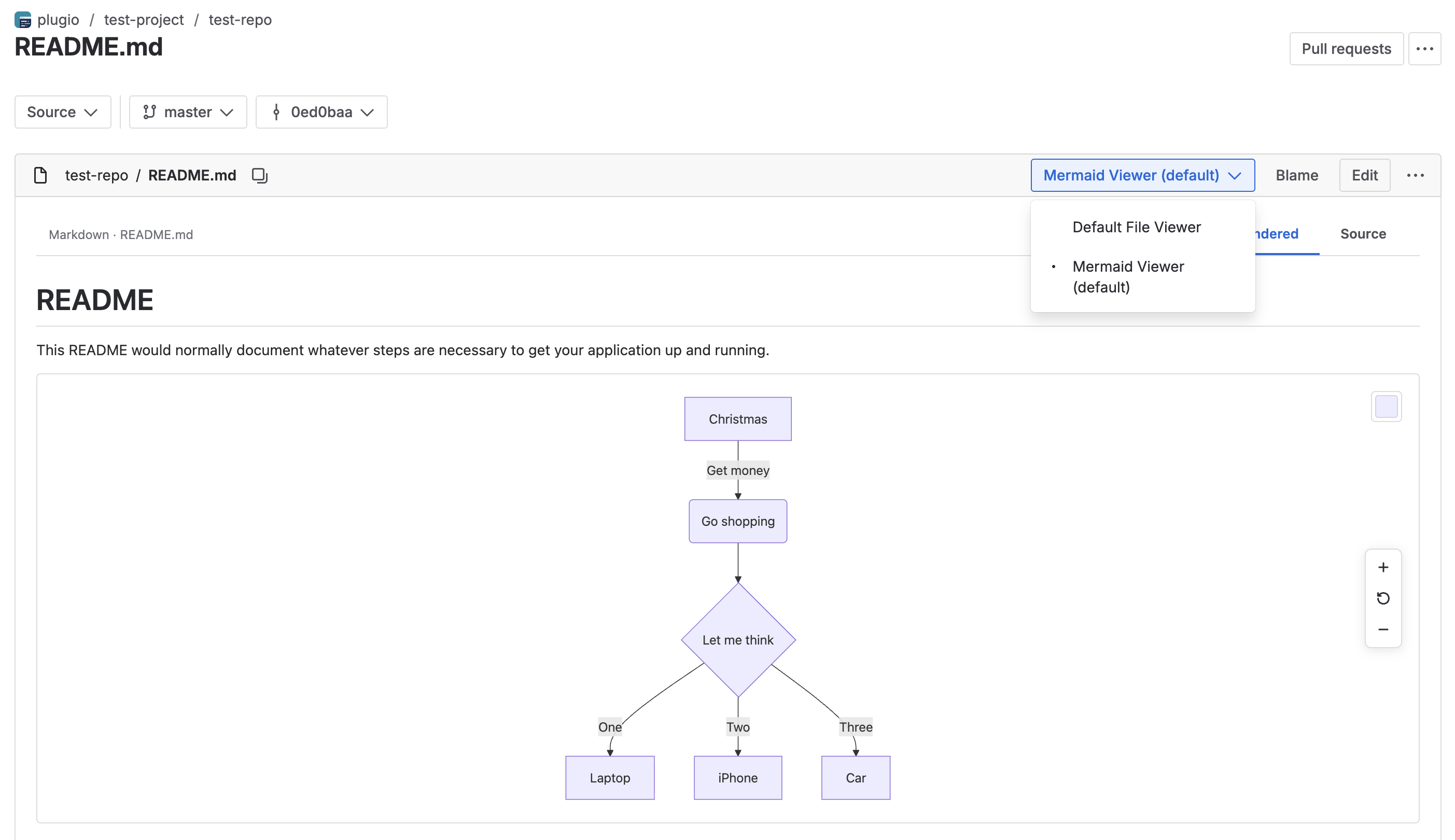
.mmd,.mermaidor.mdfile on any branch, tag or commit, switch to the viewer, and diagrams render — standalone for diagram files, inline between the headings and paragraphs for Markdown. Six themes, zoom and pan, and a Source tab for the raw text. - A Mermaid Editor page in the repository menu: a syntax-highlighted editor with a live preview, six starter templates and the same themes — the place to draft a diagram before committing it.
Rendering happens in your browser with a bundled copy of Mermaid. The app declares no external network access, reads the repository with your own permissions, and stores nothing.
Getting Started
- 1 Install Mermaid Diagrams for Bitbucket from the Atlassian Marketplace on your Bitbucket workspace and approve the single read-repository permission.
- 2 Open any
.md,.mmdor.mermaidfile in a repository's Source view. - 3 Switch the file view to Mermaid Viewer. Diagrams render immediately.
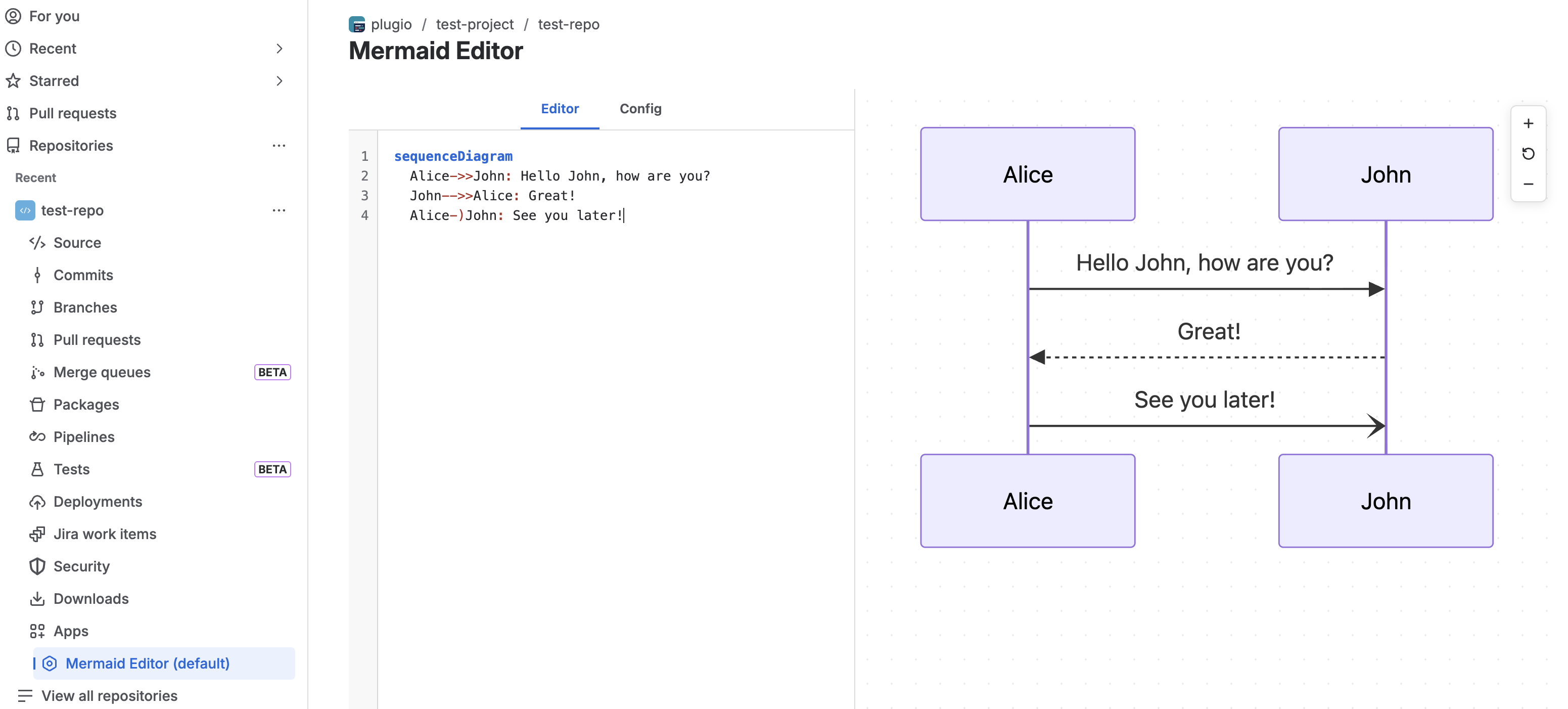
- 4 To draft a new diagram, open Mermaid Editor from the repository's left navigation.
The Mermaid Viewer
The viewer replaces the code view for supported files. A toolbar names the mode (Mermaid · path or Markdown · path) and offers two tabs: Rendered and Source — the raw file text, for copying or checking what a failed block contains.
Supported files
| Extension | How it renders |
|---|---|
.mmd · .mermaid | The whole file is one diagram. |
.md | Rendered as GitHub-flavoured Markdown — headings, lists,
tables, links, images, blockquotes, code — with every ```mermaid block
replaced by its diagram, in place. |
The file is read at exactly the commit you are viewing, so branch and tag views, and historical commits, all render their own version.
Markdown & fenced blocks
A block is treated as a diagram when its fence is exactly ```mermaid — lowercase,
with no extra words on the fence line. Any other fence stays a code block, and text between
diagrams renders as normal Markdown. Markdown HTML is sanitised before it is shown; Mermaid runs
in strict mode, so diagrams can't embed HTML or scripts.
If one diagram in a file has a syntax error, only that block shows an error box; the rest of the document still renders.
Themes
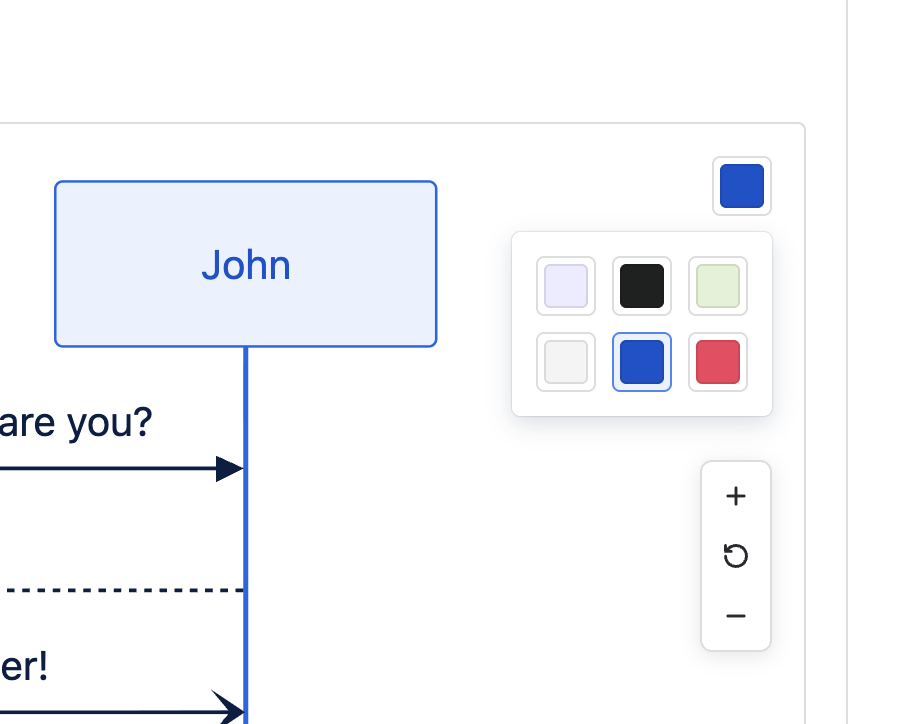
The swatch button beside a diagram opens the theme grid: Default, Dark, Forest, Neutral, Ocean, Rose. Default, Dark, Forest and Neutral are Mermaid's built-ins; Ocean and Rose are Plugio palettes. Your choice is remembered in the browser and applies to every diagram on the page at once; the first time, it follows your OS light/dark setting. The viewer's own chrome follows Bitbucket's colour mode.
Zoom & pan
Every diagram sits in a pannable canvas — drag to move it — with a right-hand rail of zoom in, reset and zoom out buttons (0.1× to 10×). Mouse-wheel zoom is deliberately off so the wheel keeps scrolling the page. In the viewer a diagram is capped at 400 px tall; zoom and pan to inspect a large one.
The Mermaid Editor
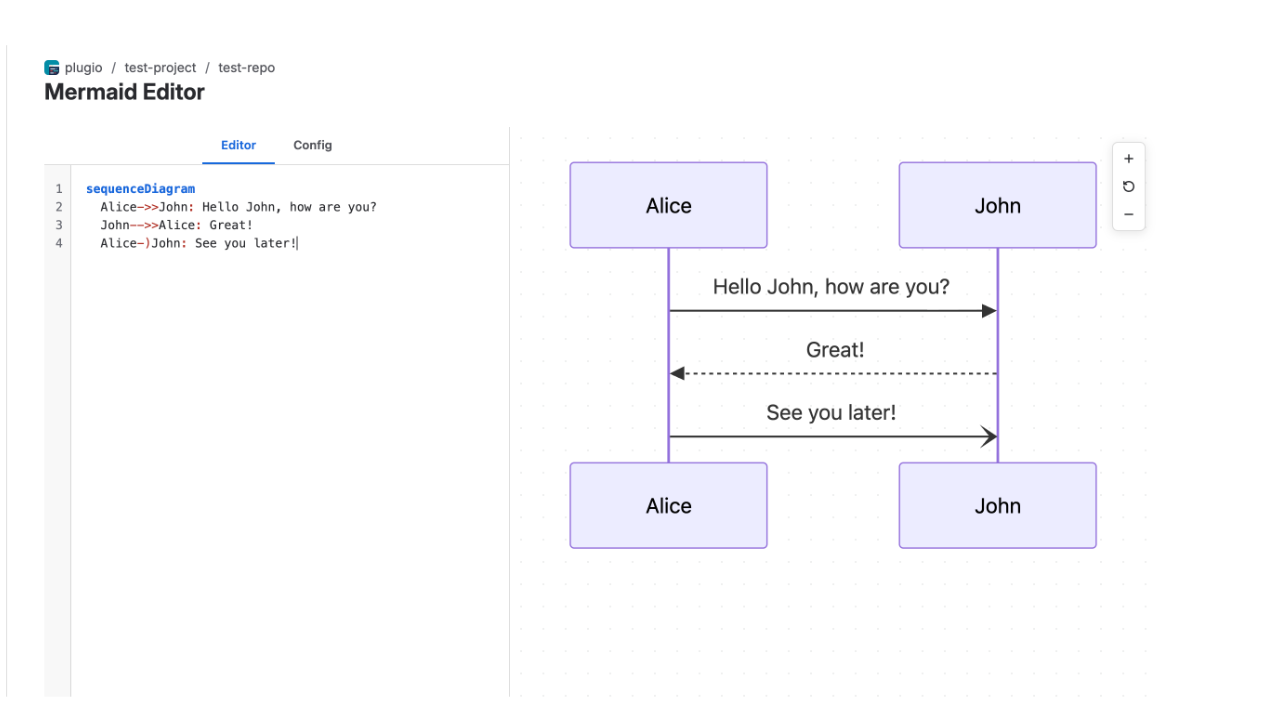
Mermaid Editor in the repository's left navigation opens a full-page editor: a 500 px sidebar on the left, the live preview in the centre, the zoom rail on the right.
| Control | What it does |
|---|---|
| Editor tab | A syntax-highlighted Mermaid editor with line numbers. The preview re-renders about a quarter of a second after you stop typing. |
| Config → Theme | The six themes, applied live to the preview (same choice as the viewer). |
| Config → Templates | Flowchart, Sequence, Class, State, Gantt, Pie Chart — a starter snippet each. Loading one replaces the editor content. |
| Preview | Renders the diagram on a dot grid; syntax errors show as a red box with Mermaid's message. Empty editor → "Type Mermaid syntax in the editor to preview." |
| Zoom rail | Zoom in · Reset · Zoom out, drag to pan. |
The editor is a scratchpad, not a file. It has read-only access to the
repository, so it doesn't save or commit. When the diagram looks right, copy the source
into a .mmd file or a ```mermaid block in your Markdown and commit
it as usual — the viewer takes it from there. Content in the editor is not kept when you
leave the page.
Diagram Types
The app bundles Mermaid 11, so everything Mermaid renders, it renders — no allow-list:
- Flowchart — processes, decision trees, pipelines
- Sequence — service interactions, API calls, user journeys
- Class, State, Entity Relationship — models, machines, schemas
- Gantt, Timeline, Kanban — plans and boards
- Pie, XY chart, Quadrant, Sankey, Radar — data
- Git graph, C4, Architecture, Block, Packet — engineering diagrams
- Mindmap, Requirement, User journey, and the rest of the Mermaid 11 catalogue
Because the app makes no network requests, diagram features that fetch remote resources — icon packs in architecture diagrams, remote images — won't load.
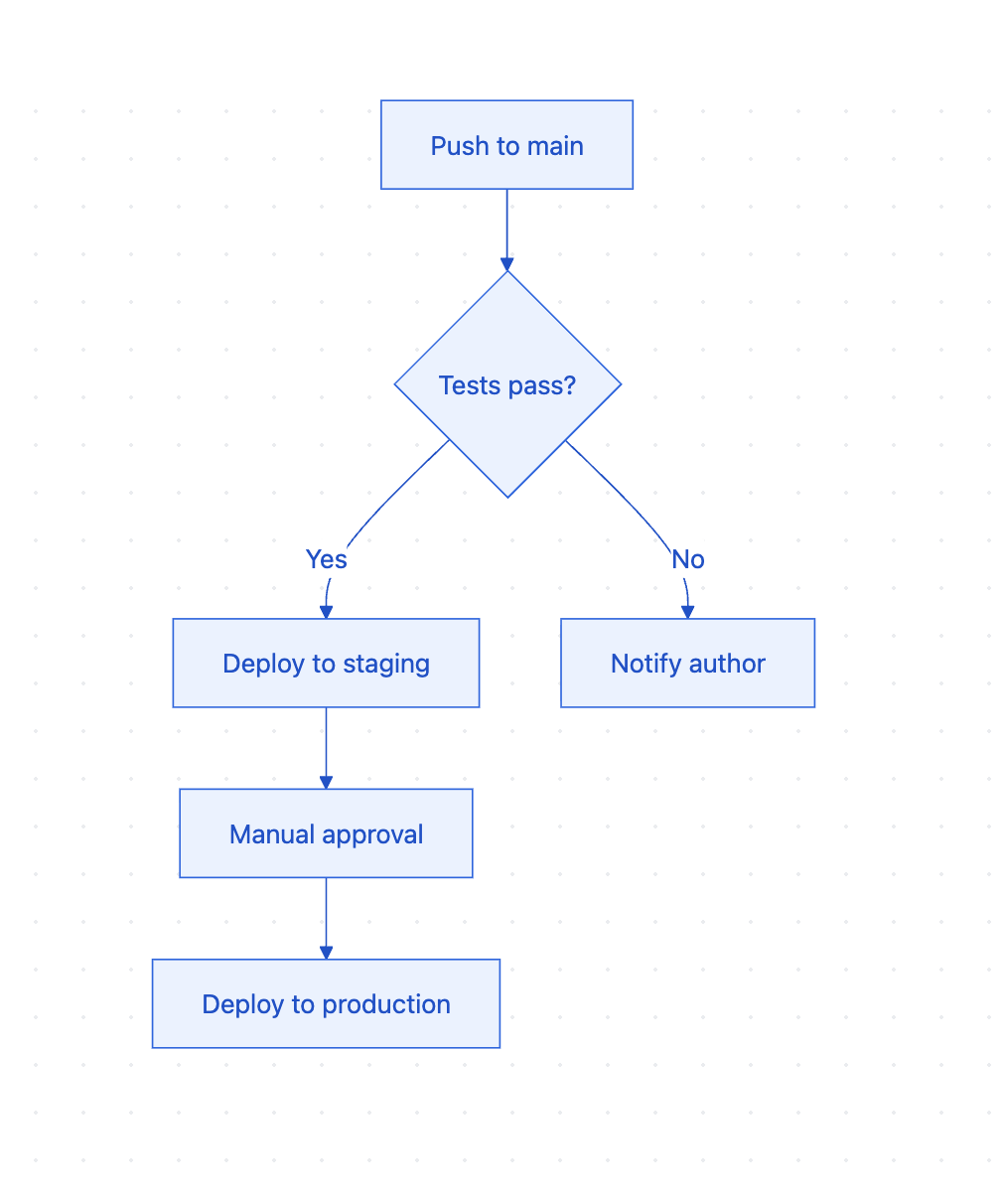
Example
In any Markdown file:
```mermaid
flowchart TD
    A[Push to main] --> B{Tests pass?}
    B -->|Yes| C[Deploy to staging]
    B -->|No| D[Notify author]
    C --> E[Manual approval]
    E --> F[Deploy to production]
```
FAQ
Does Bitbucket support Mermaid diagrams?
Not out of the box — Bitbucket Cloud shows a Mermaid block as plain code. This app adds the rendering as an alternate file viewer, on any branch, tag or commit.
How do I render a Mermaid diagram in a Bitbucket README?
Put the diagram in a ```mermaid fenced block, open the README in the repository and
switch to the Mermaid Viewer.
Do diagrams render in pull requests?
Not currently — the viewer works in the repository source view, not in PR diffs.
Does my repository content leave Bitbucket?
No. Files are read with your own permissions and rendered in the browser from a bundled Mermaid. The app declares no external network access, has a read-only repository scope, and stores nothing.
Can I save from the editor to the repository?
No — the app is read-only. Copy the source into a file and commit it.
Troubleshooting
The Mermaid Viewer option isn't offered for my file
The viewer matches files ending in .md, .mmd or .mermaid,
lowercase. .markdown, .mdx or README.MD aren't matched —
rename the file.
My diagram shows as a code block
The fence must be exactly ```mermaid — lowercase, nothing else on the fence line, and
not an indented (four-space) code block.
"Mermaid render error"
Mermaid couldn't parse that block; the box shows its message and line number. Paste the block into the Mermaid Editor to fix it with a live preview. Other diagrams in the file are unaffected.
"Failed to fetch file (404 Not Found)"
The file no longer exists at that commit, or you don't have read access to it.
Icons or images in a diagram don't appear
The app makes no external requests by design; remote icon packs and images can't load.
My theme reset
The theme is remembered per browser. A new browser or cleared storage starts from your OS light/dark setting.
Support
Questions, feedback or a feature request? We answer fast.
Email: [email protected]